Neatsums Templates
UK money spreadsheets, dated and sourced
Excel and Google Sheets templates for sole traders, landlords, club treasurers and households. You type in the white boxes; the shaded cells add everything up and check for gaps.
Most of the tax templates work for both 2025–26 (the return due on 31 January 2027) and 2026–27: pick the year on the cover. Every rate and threshold links to its official source, usually GOV.UK, and says when we checked it. None of it is tax advice: check every figure before you use it.
The templates
Self-employed and sole traders
For sole traders filing Self Assessment →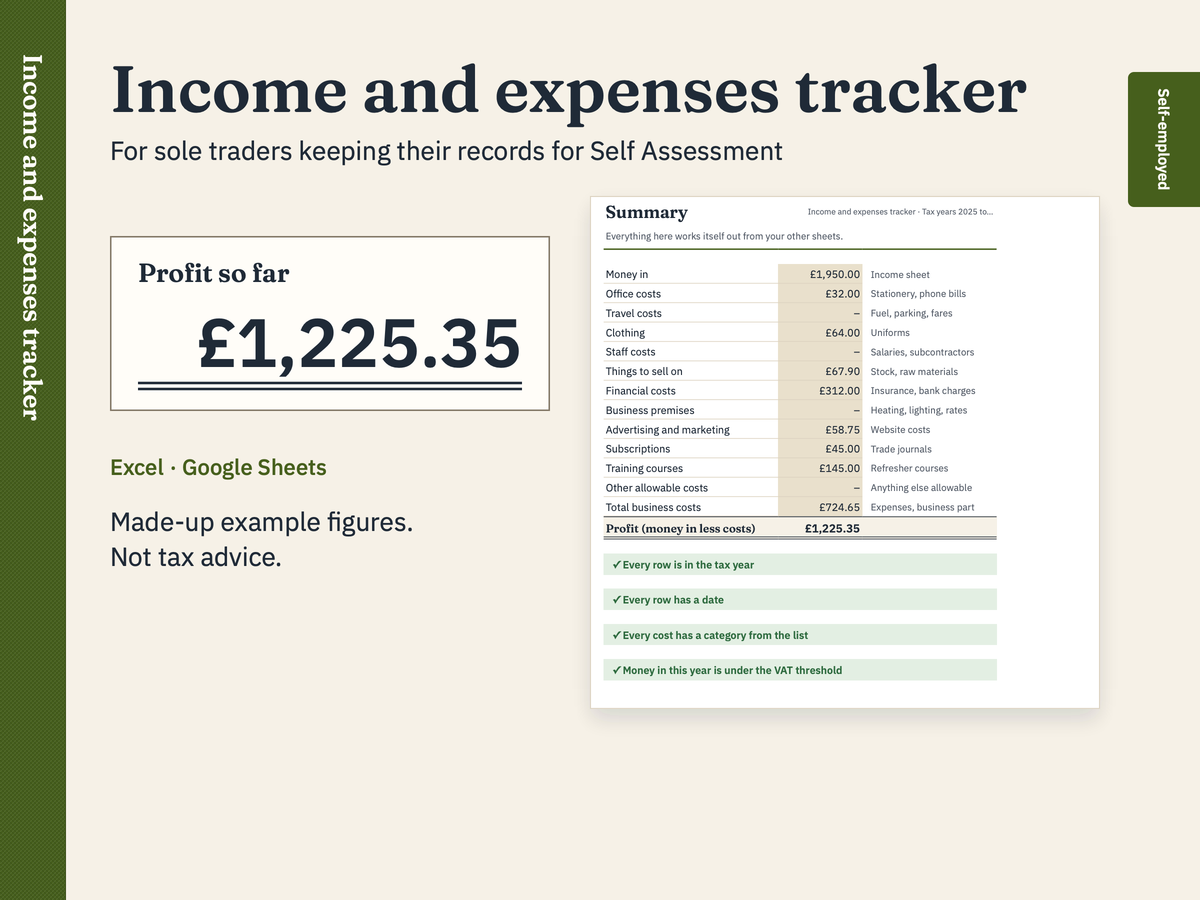
For sole traders keeping their records for Self Assessment
Income and expenses tracker
Keep a year of business records in one place. Type each payment you receive and each business cost you pay, and the tracker sorts your costs into GOV.UK's expense headings, totals each tax month and works out your profit for the year. It splits mixed-use bills, like a phone you also use at home, so only the business part counts.
£9Excel (.xlsx) and Google Sheets
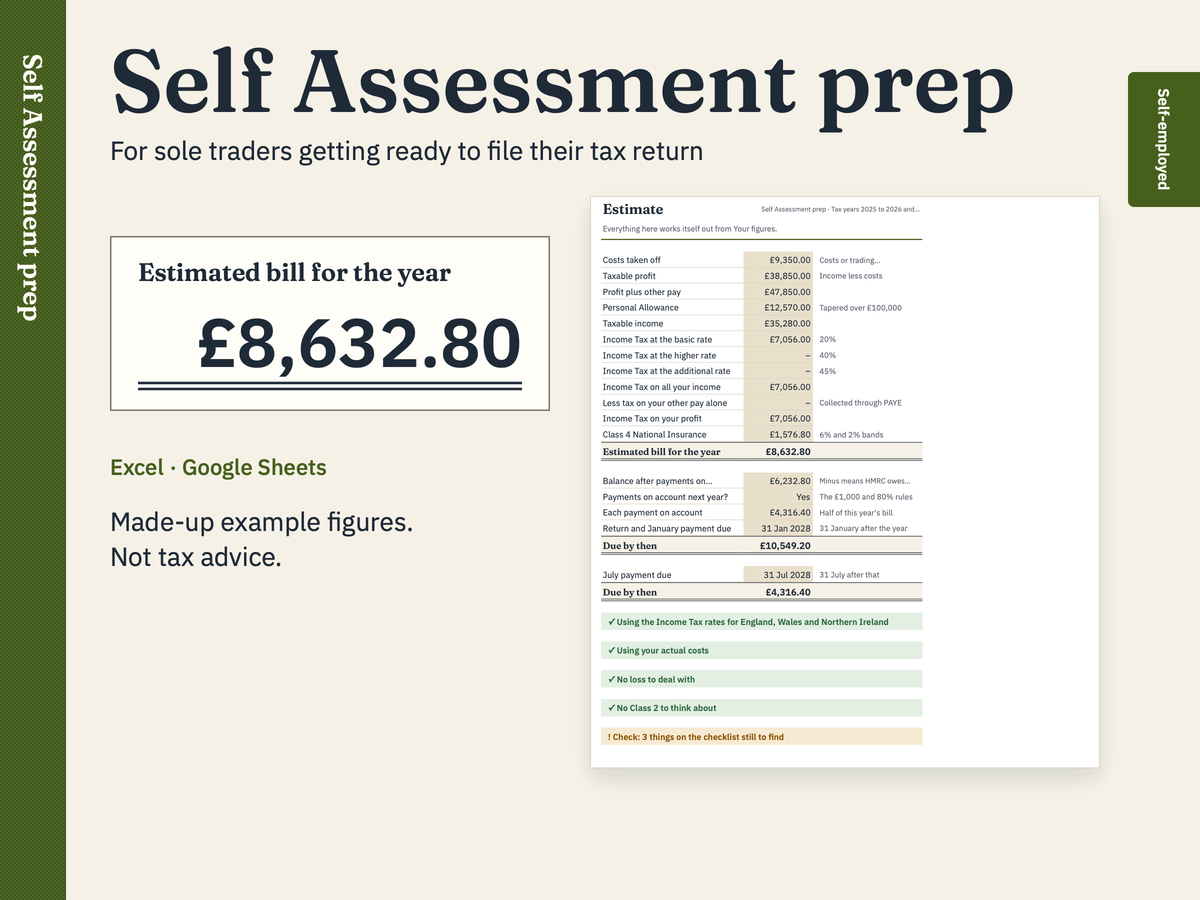
For sole traders getting ready to file their tax return
Self Assessment prep workbook
Get ready for your Self Assessment in one place. Tick off what you need to gather, type in your year's figures, and see an estimate of the Income Tax and Class 4 National Insurance on your profit, worked out band by band so you can follow it. It also shows whether payments on account are likely and what falls due on the 31 January and 31 July after the tax year.
£9Excel (.xlsx) and Google Sheets
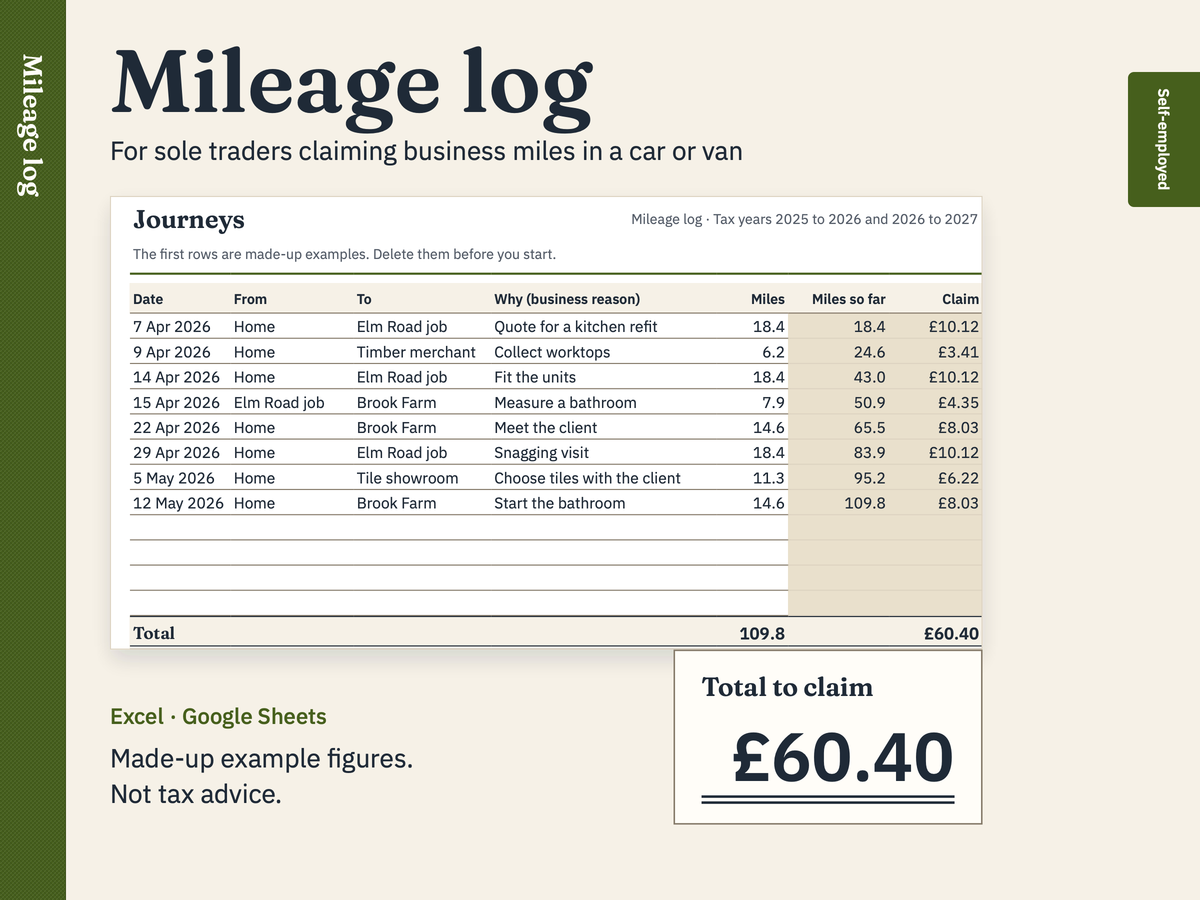
For sole traders claiming business miles in a car or van
Mileage log
Log each business journey in your car or van. The log adds up your miles and works out the simplified mileage claim for the tax year you choose: 55p a mile for the first 10,000 business miles in 2026 to 2027 (45p in 2025 to 2026), then 25p. A journey that crosses the 10,000-mile line is split between the two rates.
FreeExcel (.xlsx) and Google Sheets
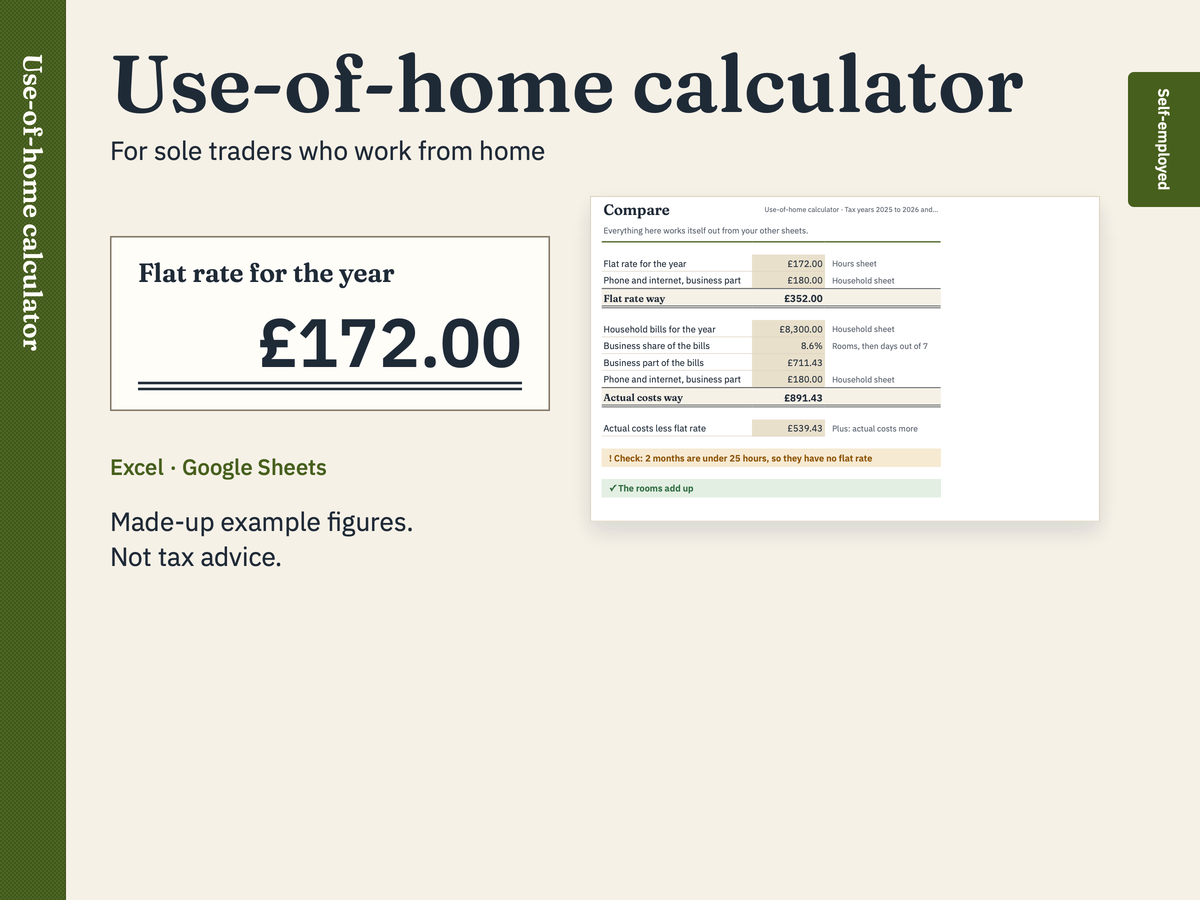
For sole traders who work from home
Use-of-home calculator
Work out what working from home is worth two ways and see them side by side. The flat rate way uses GOV.UK's simplified expenses, £10, £18 or £26 a month depending on your hours, plus the business share of Council Tax, home insurance and mortgage interest, which HMRC's manual allows on top. The actual costs way shares all your household bills by the rooms you use and the days you work at home, as in GOV.UK's own example. Phone and internet go on top of either. The calculator shows both; the choice is yours.
£5Excel (.xlsx) and Google Sheets
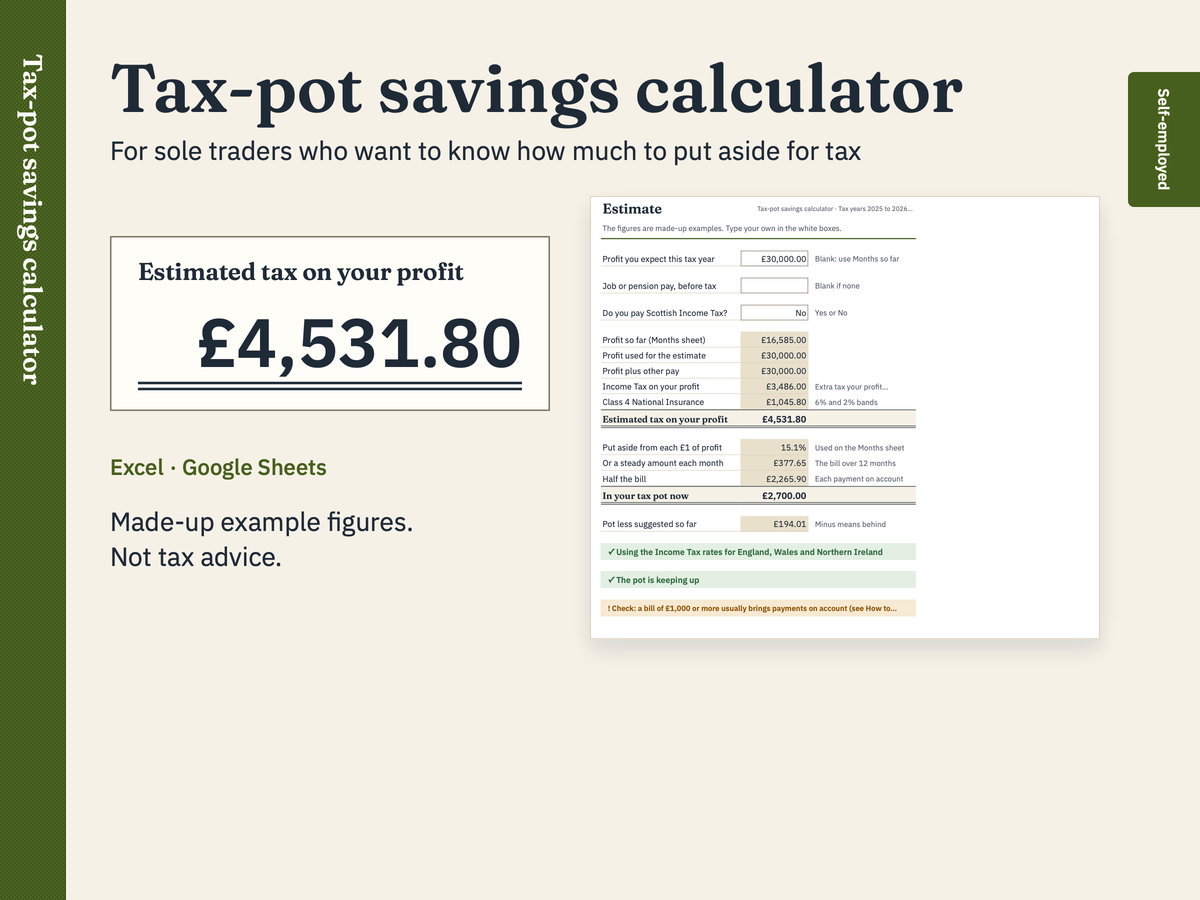
For sole traders who want to know how much to put aside for tax
Tax-pot savings calculator
Know how much to put aside for tax as you go. Tell it the profit you expect this year (or let it use what you've earned so far) and it estimates the Income Tax and Class 4 National Insurance on that profit. It turns the estimate into pence in every pound to put aside, suggests an amount each month from what you actually made, and tracks your tax pot so you can see if it's keeping up.
£5Excel (.xlsx) and Google Sheets
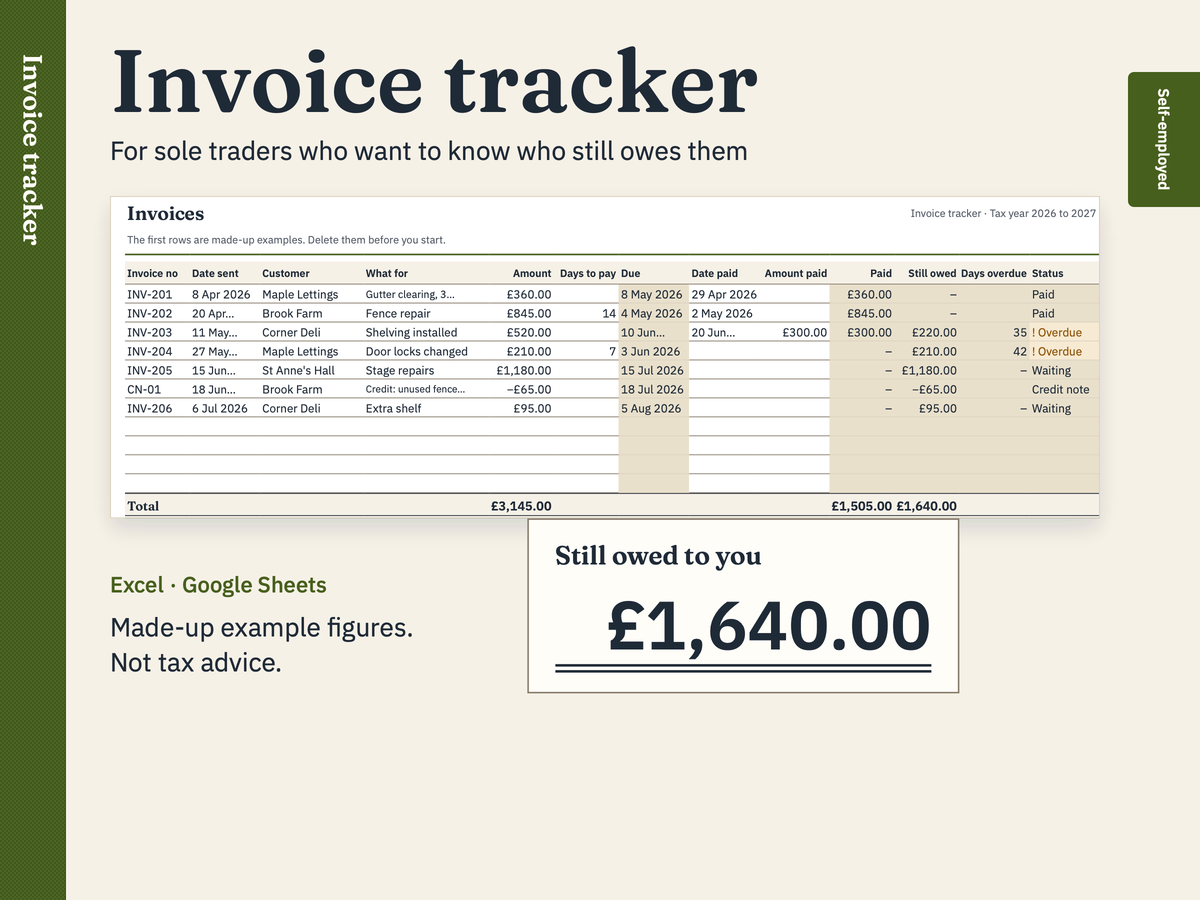
For sole traders who want to know who still owes them
Invoice tracker
Keep every invoice you send on one sheet and see at a glance what's been paid, what's still owed and what's overdue. It works out each due date, counts the days an invoice is late, handles part payments and credit notes, and totals the money you received in the tax year for your records.
£5Excel (.xlsx) and Google Sheets
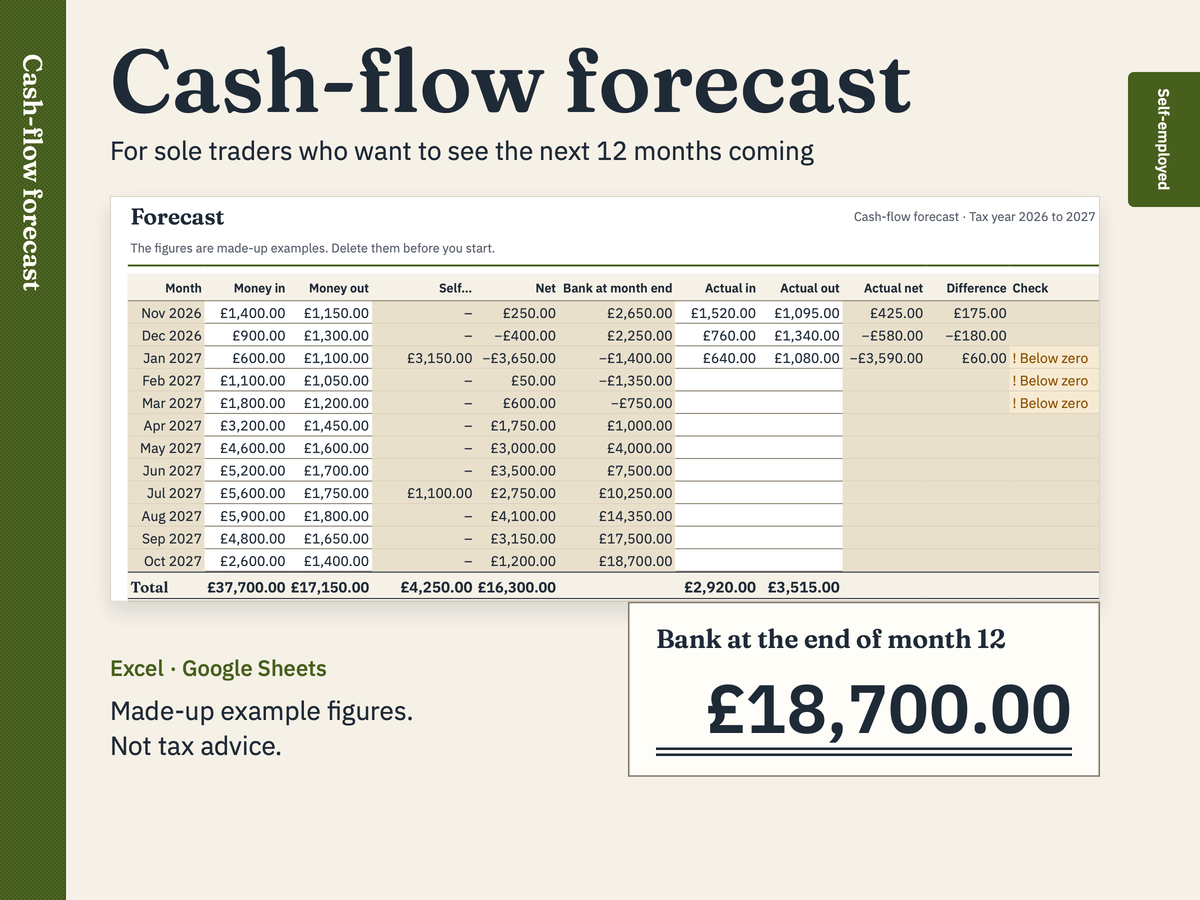
For sole traders who want to see the next 12 months coming
Cash-flow forecast
See the next twelve months before they happen. Type the money you expect in and out each month and the forecast works out your bank balance at every month end, warns you when it would dip below zero, and drops your Self Assessment payments into January and July so the tax bill isn't a surprise. As each month ends, type what really happened beside the forecast to see the difference.
£7Excel (.xlsx) and Google Sheets
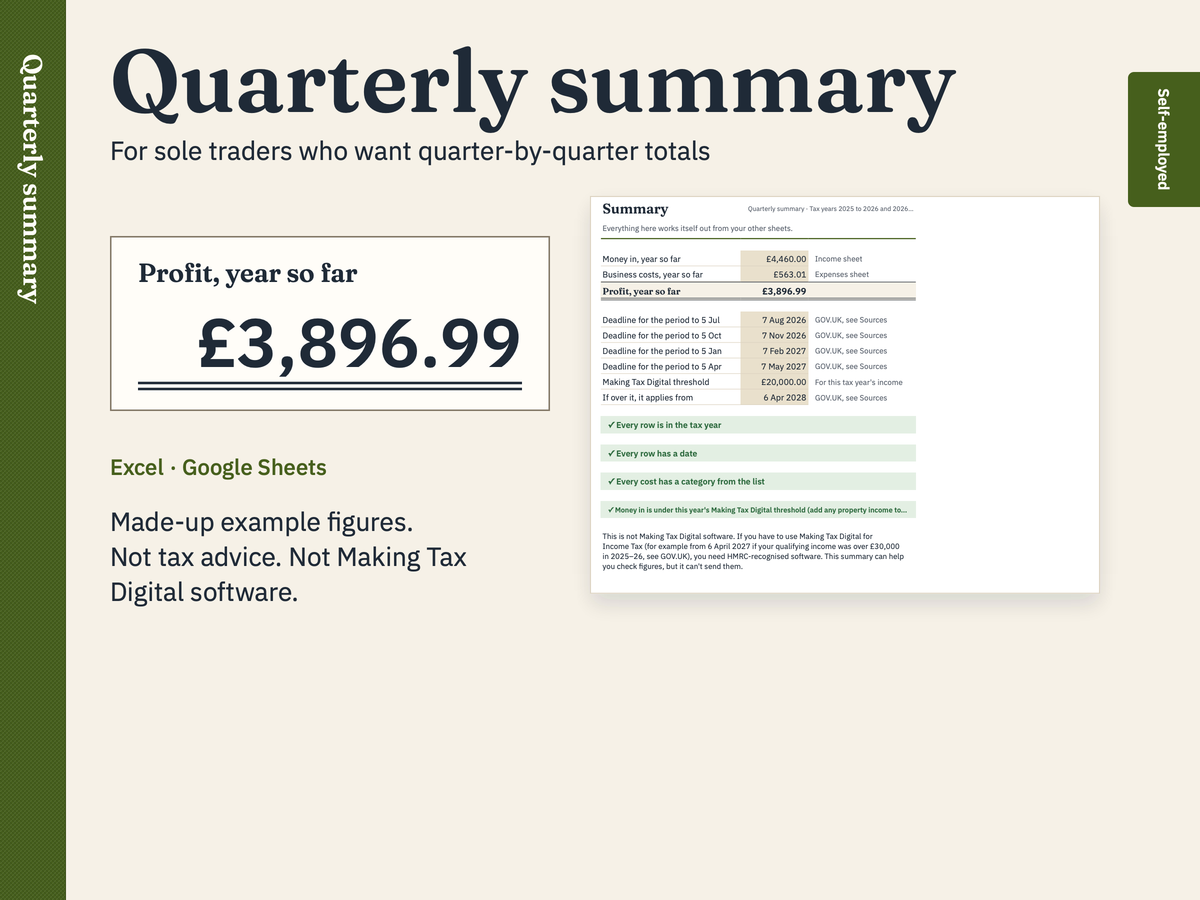
For sole traders who want quarter-by-quarter totals
Quarterly summary (not Making Tax Digital software)
See your money in and business costs for each three-month period of the tax year, by GOV.UK's expense headings, with running totals for each period and a profit figure. It isn't Making Tax Digital software and can't send anything to HMRC: it helps you check your figures.
£7Excel (.xlsx) and Google Sheets
CIS, gig and online sellers
For CIS subcontractors, delivery riders and online sellers →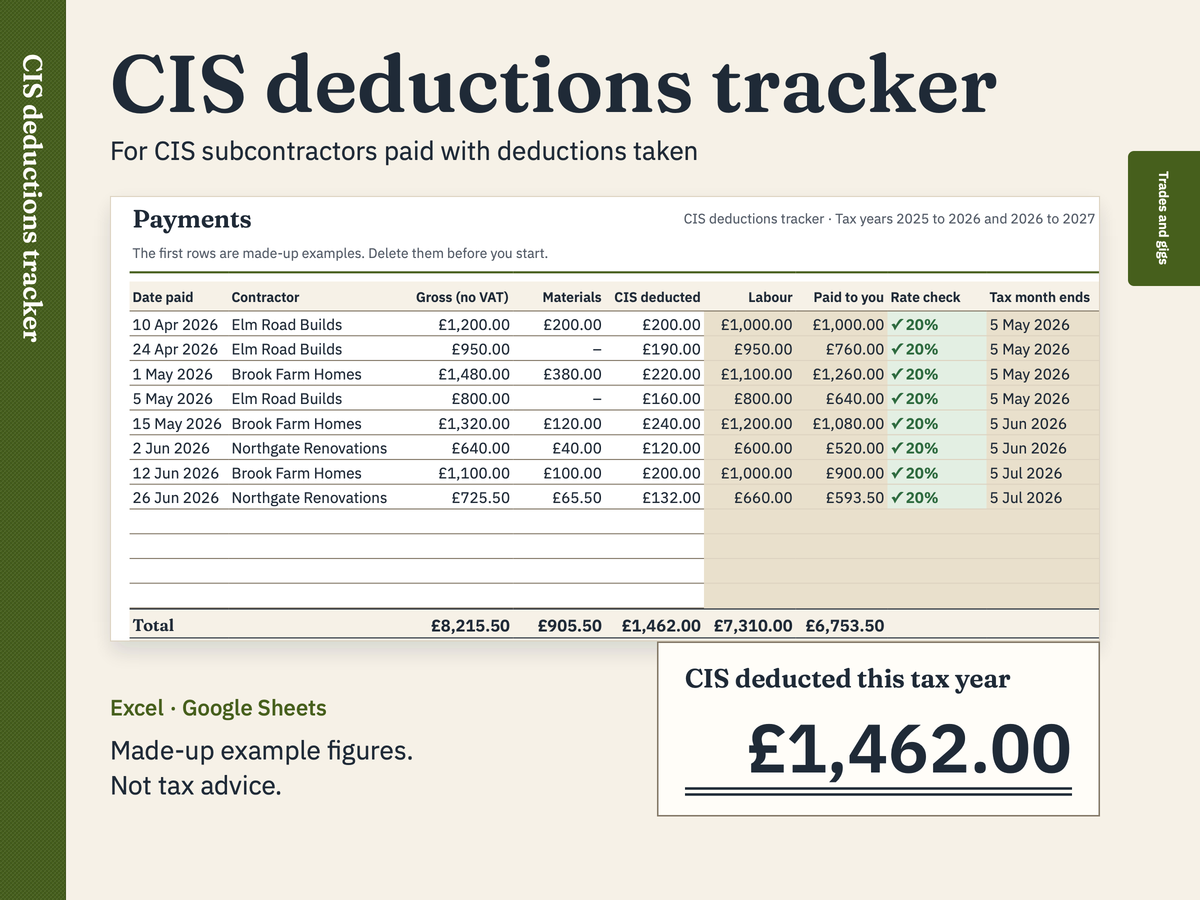
For CIS subcontractors paid with deductions taken
CIS deductions tracker
Log every payment a contractor makes you under the Construction Industry Scheme (CIS). The tracker works out the labour each deduction is based on, checks the deduction against 20% or 30%, adds everything up by tax month and by contractor, and gives you the year's total CIS deducted.
£7Excel (.xlsx) and Google Sheets
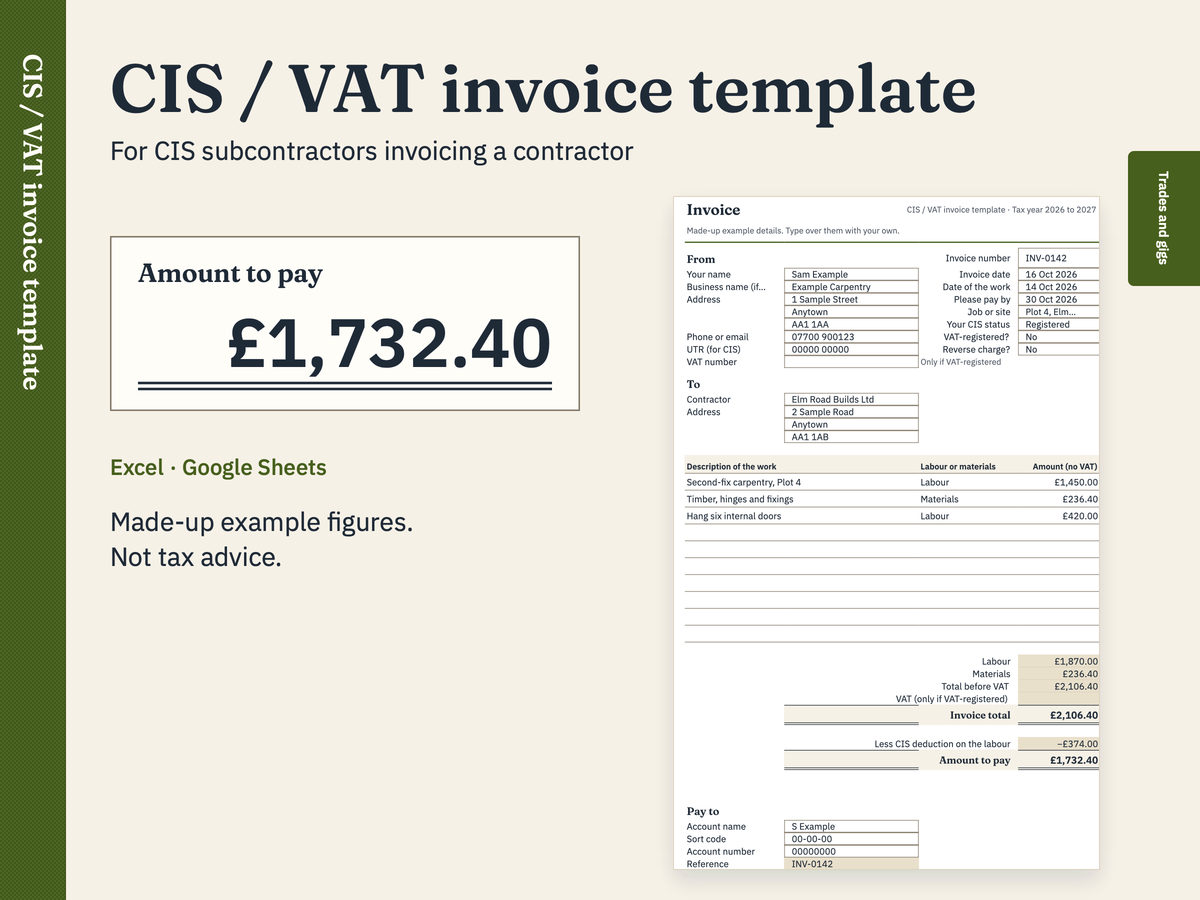
For CIS subcontractors invoicing a contractor
CIS / VAT invoice template
A printable invoice for construction work under the Construction Industry Scheme (CIS). It keeps labour and materials apart, adds VAT only if you're VAT-registered, handles the construction reverse charge, and shows the CIS deduction your contractor will take from the labour, so the amount to pay matches what lands in your bank.
FreeExcel (.xlsx) and Google Sheets
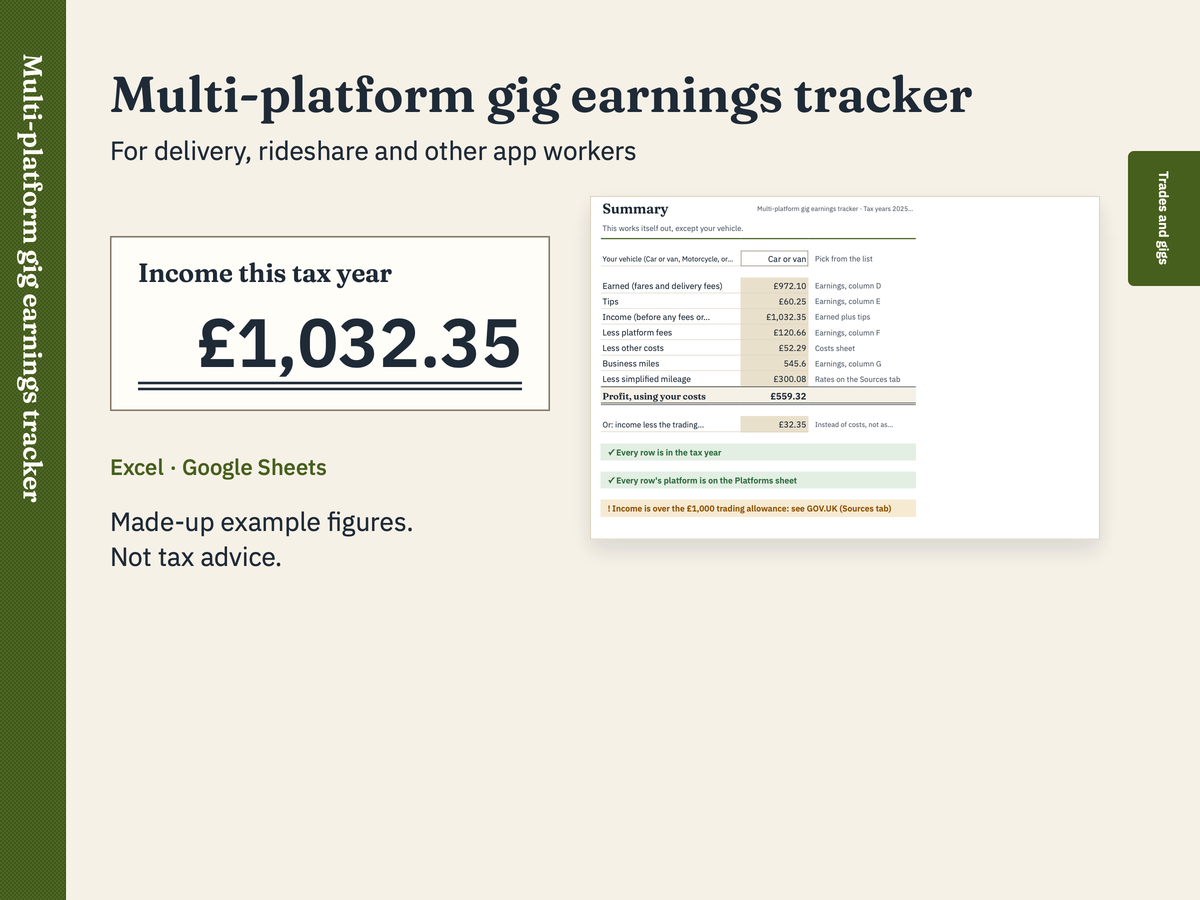
For delivery, rideshare and other app workers
Multi-platform gig earnings tracker
Keep every app's earnings in one place. Log each shift or each weekly pay statement, from as many platforms as you work for. The tracker adds up each platform, your tips, the platform fees and your business miles, then works out your profit two ways: using your costs and mileage, or using the £1,000 trading allowance instead.
£7Excel (.xlsx) and Google Sheets
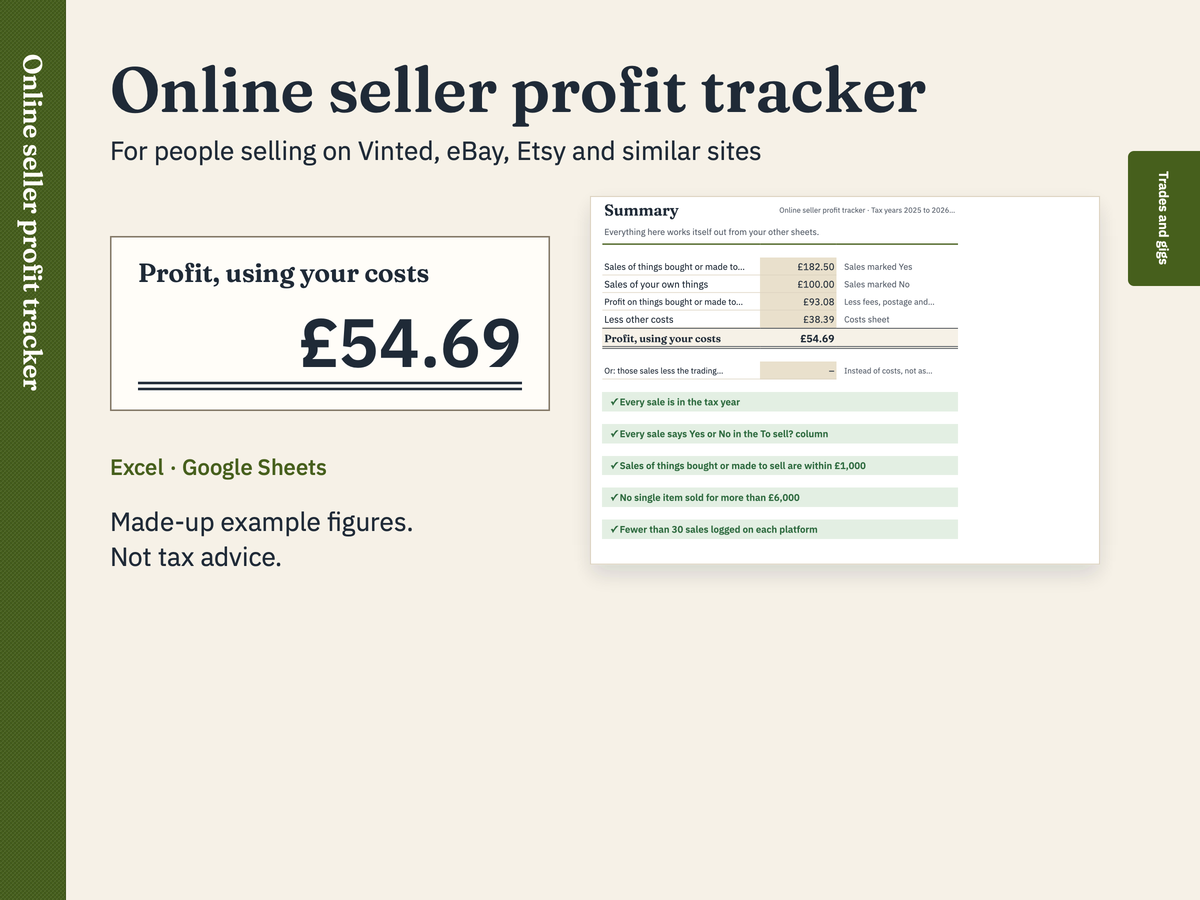
For people selling on Vinted, eBay, Etsy and similar sites
Online seller profit tracker
Log every sale on every selling site in one place. The tracker works out the profit on each sale after fees, postage and what the item cost you, keeps things you bought or made to sell apart from your own things, and adds up each platform's sales. The Summary sets your sales against the £1,000 trading allowance and counts your sales on each platform.
£7Excel (.xlsx) and Google Sheets
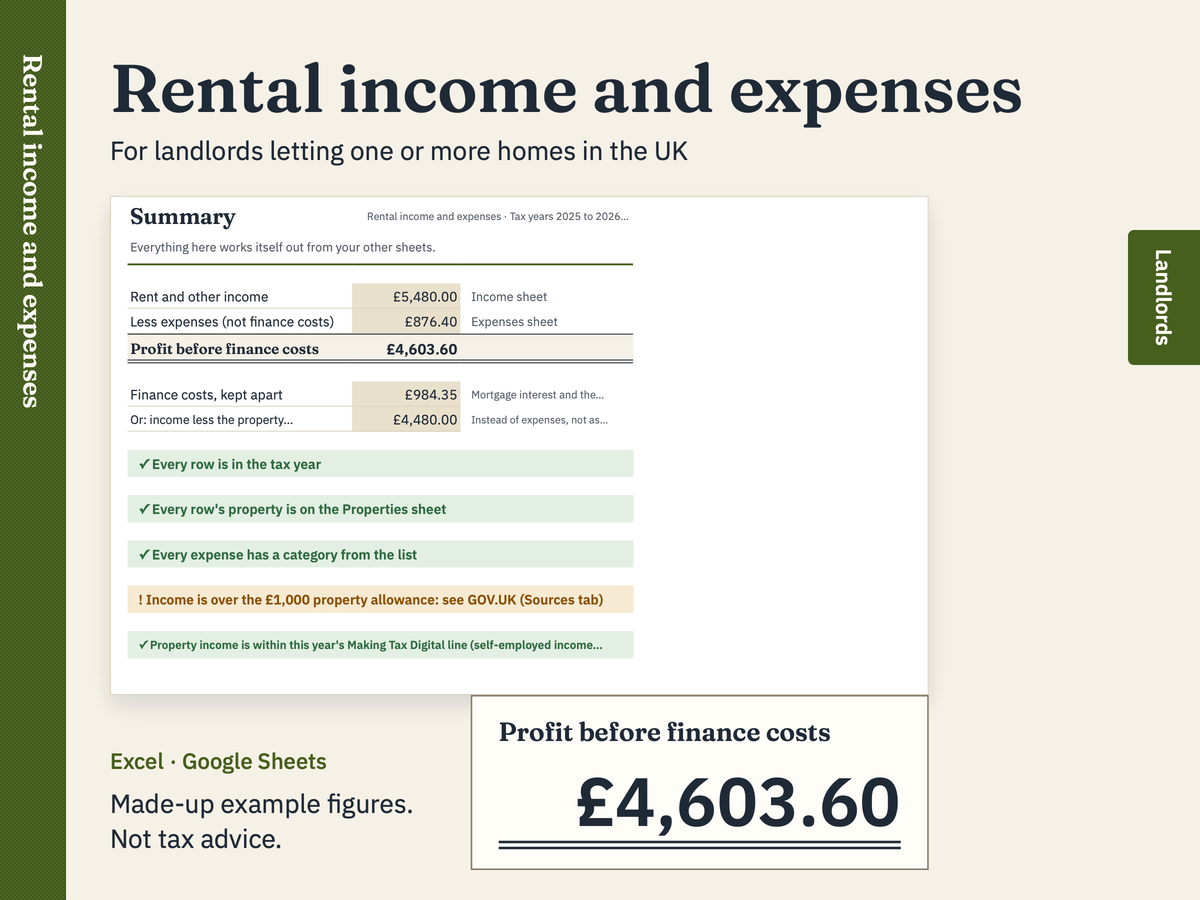
For landlords letting one or more homes in the UK
Rental income and expenses
Log your rent and your letting costs for each property through the tax year. The workbook adds up each property, sorts your costs by category, keeps mortgage interest and other finance costs apart from your expenses, and sets your income against the £1,000 property allowance.
£9Excel (.xlsx) and Google Sheets
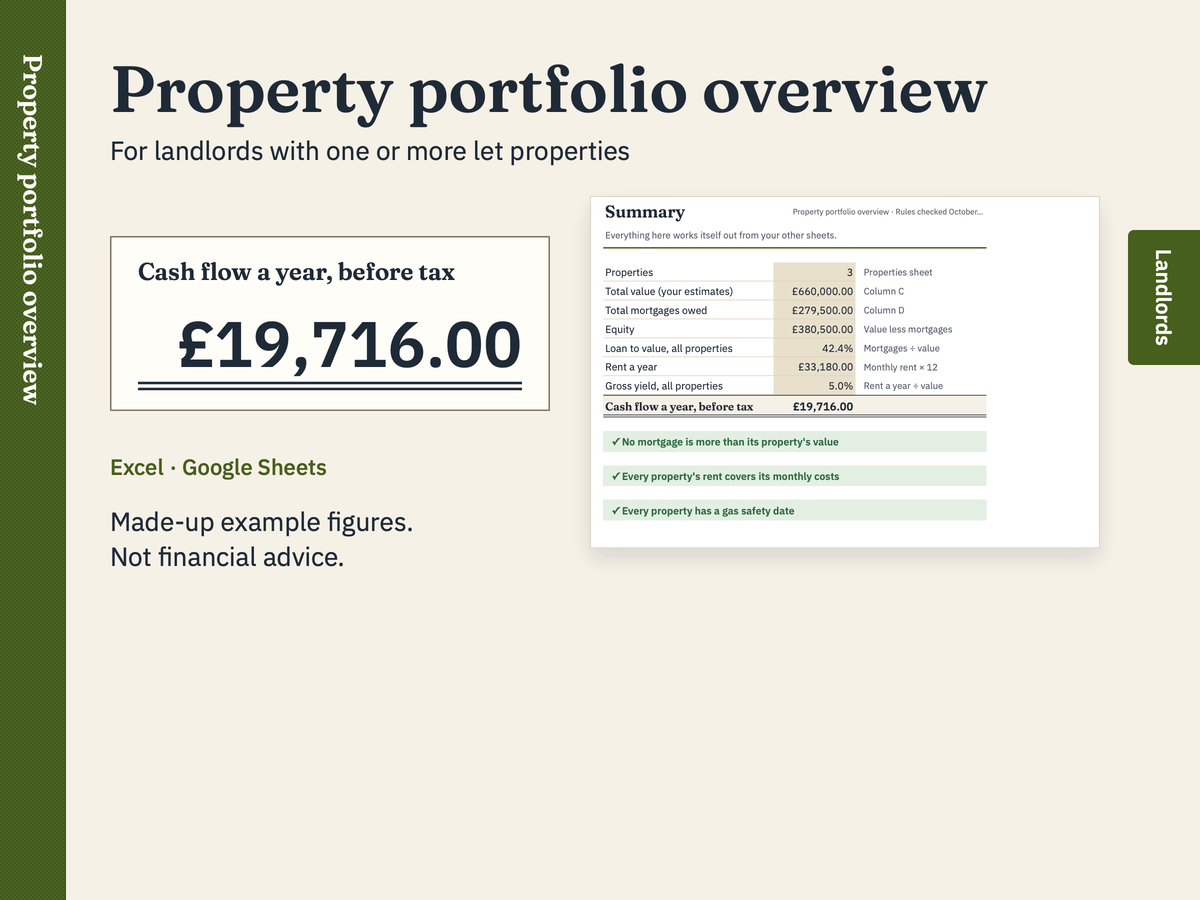
For landlords with one or more let properties
Property portfolio overview
See every property you let on one page: what it's worth, what you owe, your equity and loan to value, the rent, the monthly costs, the cash left over and the gross yield. A second sheet keeps each property's safety and renewal dates, works out when the gas check, the electrics and the EPC are next due, and turns a date amber when it's within 60 days.
£9Excel (.xlsx) and Google Sheets
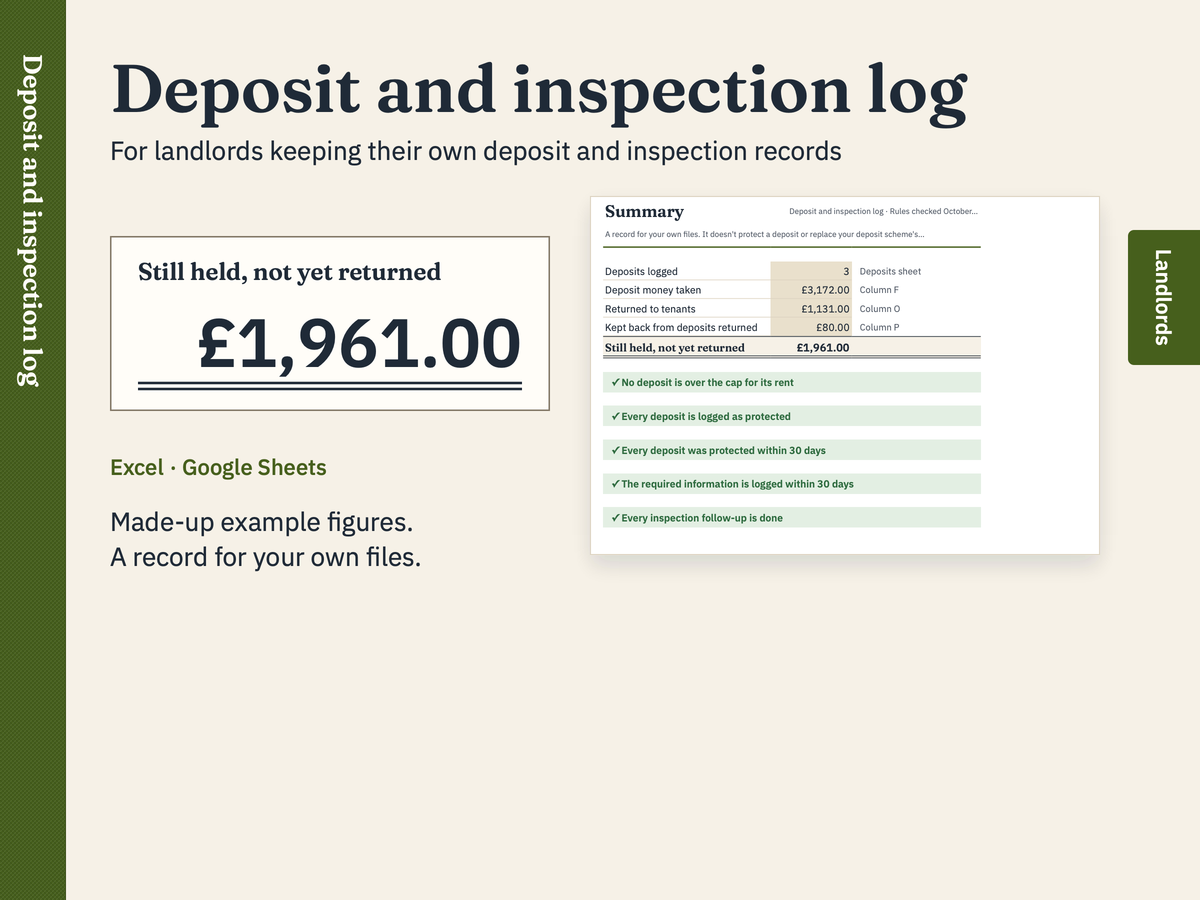
For landlords keeping their own deposit and inspection records
Deposit and inspection log
Keep one row for each tenancy deposit: when you got it, which scheme protects it, when you gave your tenants the required information, and when and how much you gave back. The log works out the date it had to be protected by, the deposit cap for the rent, and flags anything that looks late or over the cap. A second sheet records each inspection: check-in, mid-tenancy and check-out.
FreeExcel (.xlsx) and Google Sheets
Clubs and small charities
For treasurers of clubs and small charities →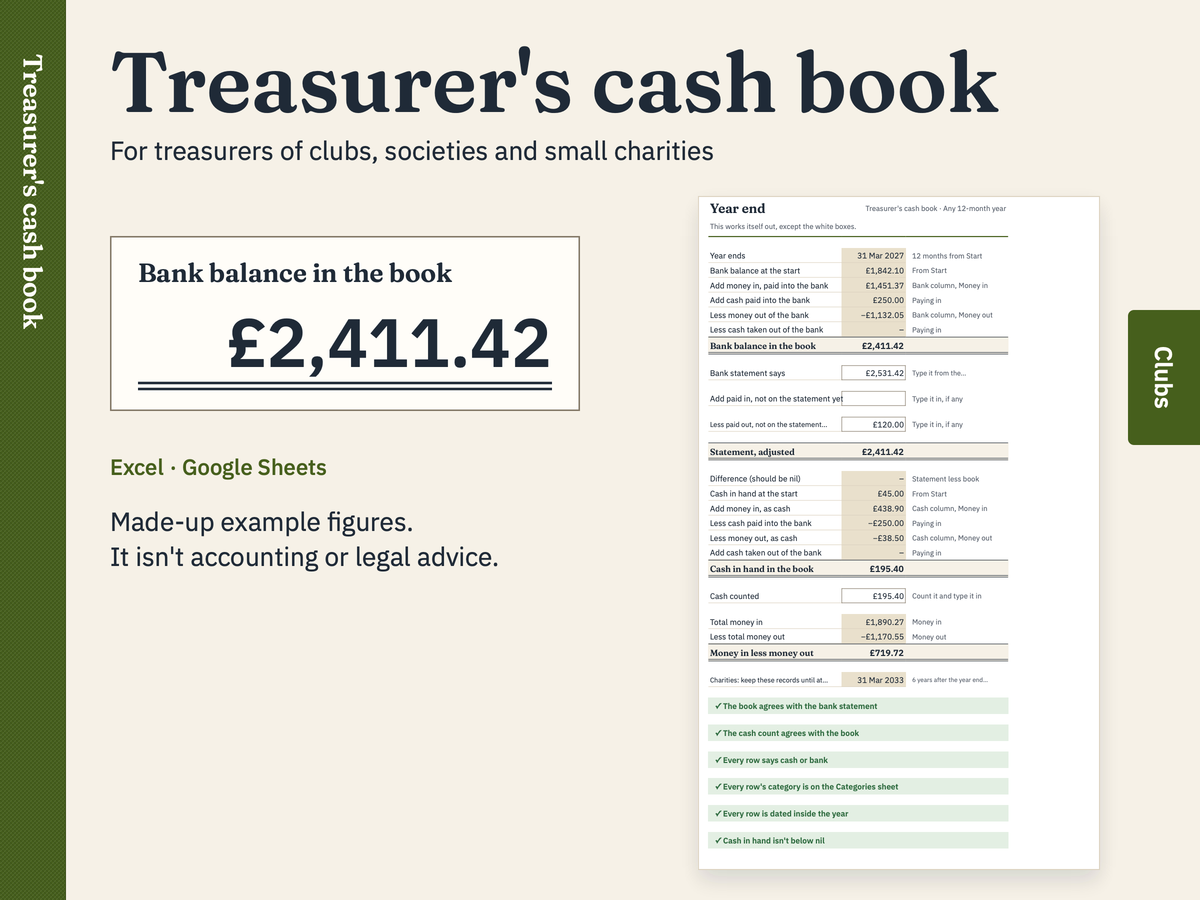
For treasurers of clubs, societies and small charities
Treasurer's cash book
Write down every penny in and out, once. The cash book adds it up by category, keeps the bank and the cash tin apart, and tells you at the year end whether it agrees with the bank statement.
£9Excel (.xlsx) and Google Sheets
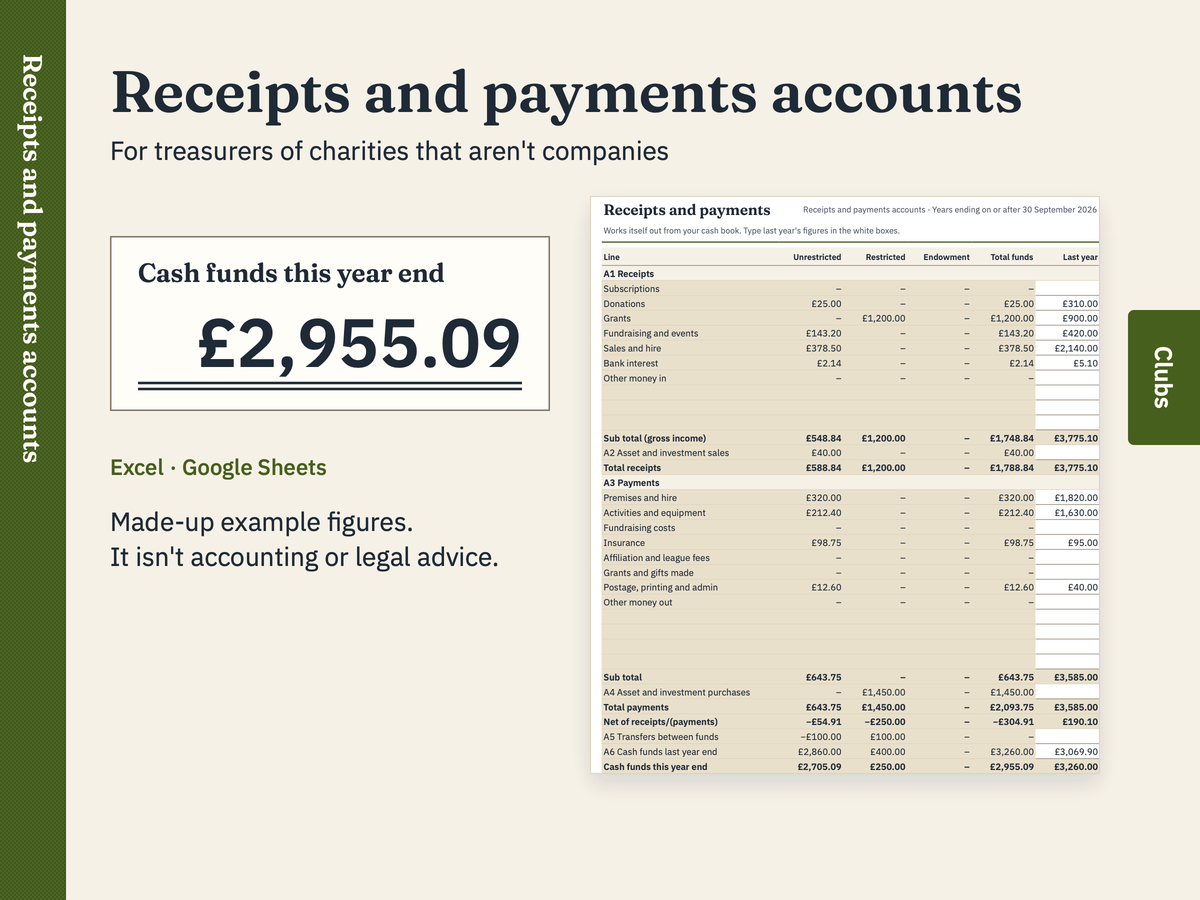
For treasurers of charities that aren't companies
Receipts and payments year-end accounts
Keep the charity's cash book through the year, with each receipt and payment given a category and a fund. At the year end the workbook lays the totals out the way the Charity Commission's receipts and payments accounts do: receipts, payments, transfers and cash funds by fund, with last year alongside. It uses the new limits: for years ending on or after 30 September 2026, charities that aren't companies can use receipts and payments accounts with gross income up to £500,000.
£9Excel (.xlsx) and Google Sheets
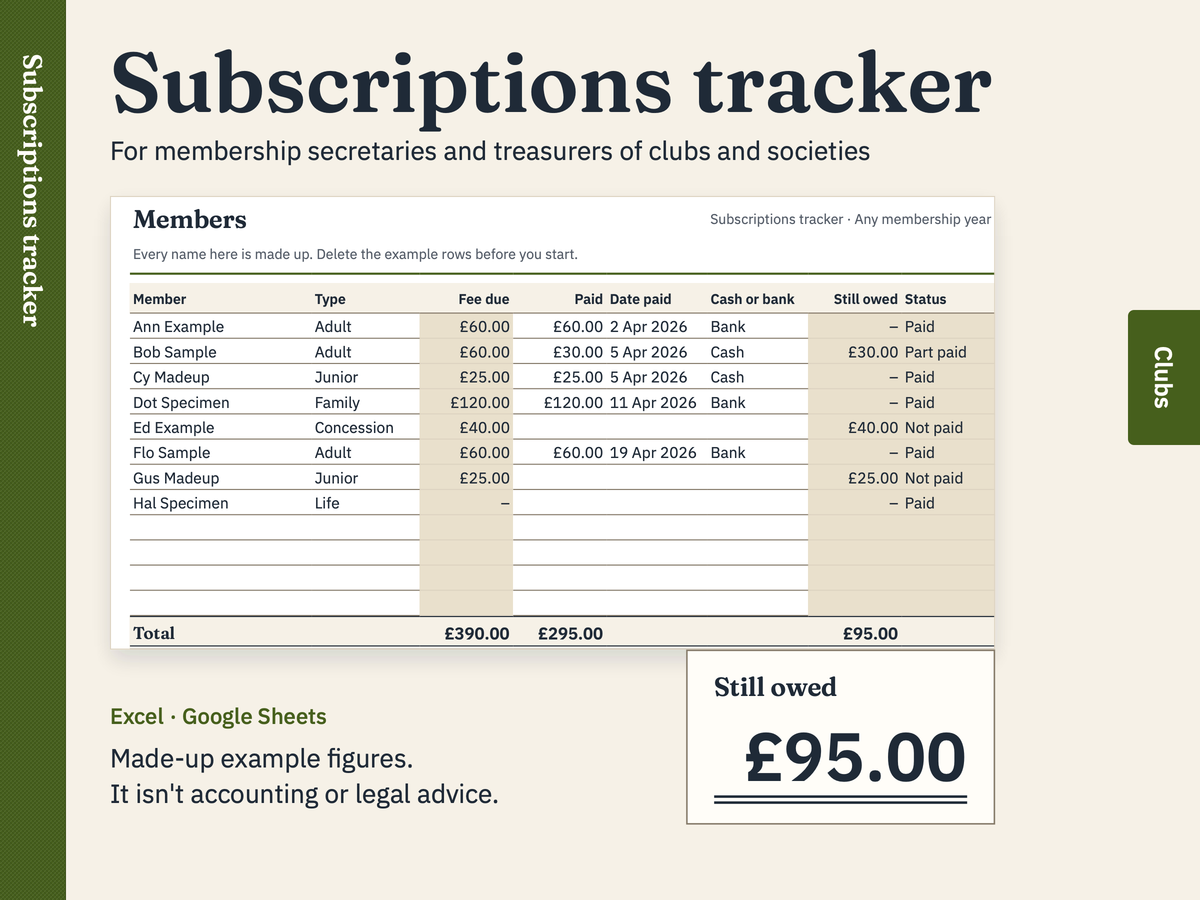
For membership secretaries and treasurers of clubs and societies
Membership subscriptions tracker
List your members and what each one pays. The tracker looks up the fee for each membership type, shows who has paid, who has part paid and who still owes, and adds up what's come in by cash and bank.
FreeExcel (.xlsx) and Google Sheets
Household money
For households planning and tracking money →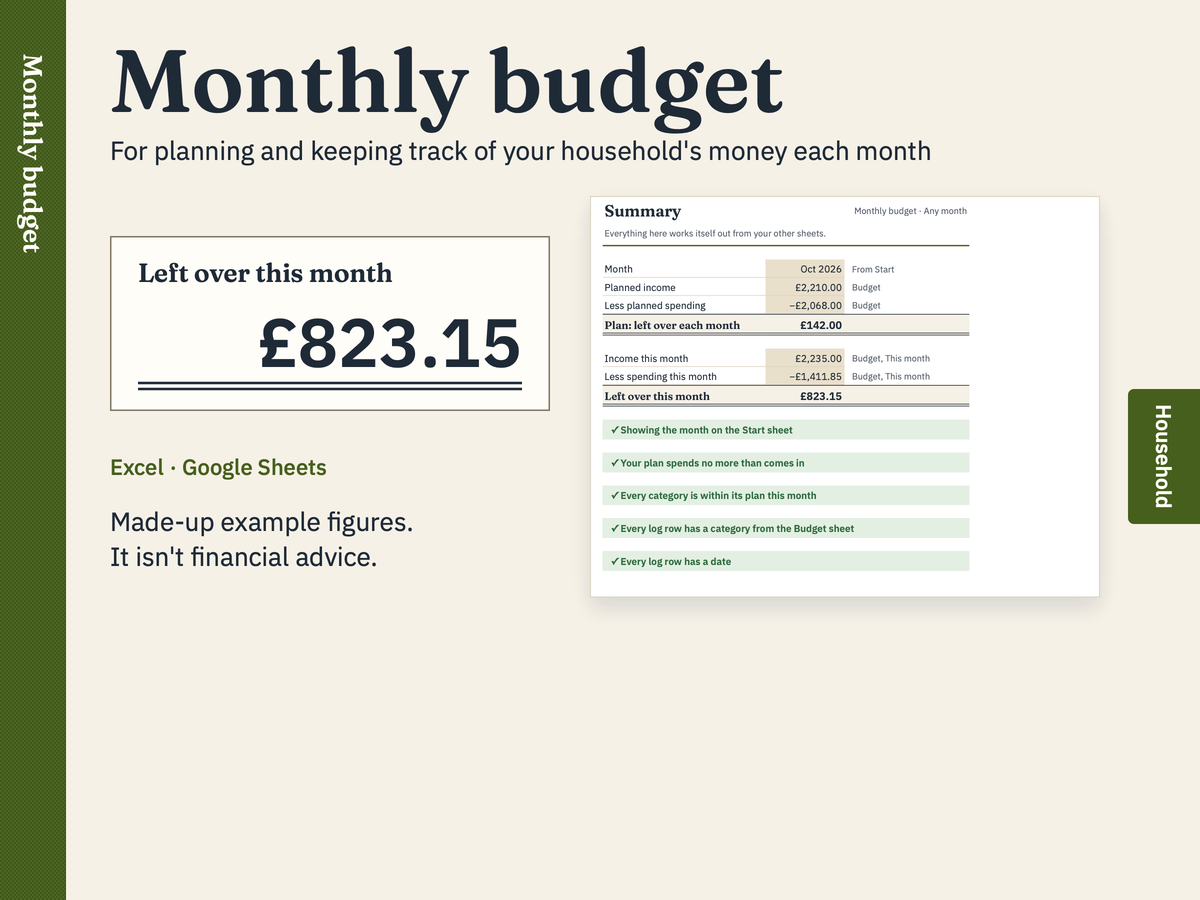
For planning and keeping track of your household's money each month
Monthly budget
Plan what comes in and goes out each month, then note what actually happens. Pick any month on the Start sheet and the budget shows how that month compares with your plan, category by category, and what's left over.
FreeExcel (.xlsx) and Google Sheets
Bundles
Self-employed bundle
7 templates, £47 if bought one by one.
£22
Every paid template
14 templates, £104 if bought one by one.
£35
Free templates
5 templates are free to download, with no sign-up and no email address.
For sole traders claiming business miles in a car or van
Mileage log
Log each business journey in your car or van. The log adds up your miles and works out the simplified mileage claim for the tax year you choose: 55p a mile for the first 10,000 business miles in 2026 to 2027 (45p in 2025 to 2026), then 25p. A journey that crosses the 10,000-mile line is split between the two rates.
FreeExcel (.xlsx) and Google Sheets
For CIS subcontractors invoicing a contractor
CIS / VAT invoice template
A printable invoice for construction work under the Construction Industry Scheme (CIS). It keeps labour and materials apart, adds VAT only if you're VAT-registered, handles the construction reverse charge, and shows the CIS deduction your contractor will take from the labour, so the amount to pay matches what lands in your bank.
FreeExcel (.xlsx) and Google Sheets
For landlords keeping their own deposit and inspection records
Deposit and inspection log
Keep one row for each tenancy deposit: when you got it, which scheme protects it, when you gave your tenants the required information, and when and how much you gave back. The log works out the date it had to be protected by, the deposit cap for the rent, and flags anything that looks late or over the cap. A second sheet records each inspection: check-in, mid-tenancy and check-out.
FreeExcel (.xlsx) and Google Sheets
For membership secretaries and treasurers of clubs and societies
Membership subscriptions tracker
List your members and what each one pays. The tracker looks up the fee for each membership type, shows who has paid, who has part paid and who still owes, and adds up what's come in by cash and bank.
FreeExcel (.xlsx) and Google Sheets
For planning and keeping track of your household's money each month
Monthly budget
Plan what comes in and goes out each month, then note what actually happens. Pick any month on the Start sheet and the budget shows how that month compares with your plan, category by category, and what's left over.
FreeExcel (.xlsx) and Google Sheets